> ## Documentation Index
> Fetch the complete documentation index at: https://docs.fenanpay.com/llms.txt
> Use this file to discover all available pages before exploring further.
# Webhook Overview
> How to handle webhooks the right way
Webhooks are a critical component of the payment process, serving as a real-time notification system for transaction outcomes. They provide immediate updates on payment statuses, allowing your application to respond promptly to successful, failed, or expired transactions.
Webhooks ensure that your system stays synchronized with the payment process, enabling you to take appropriate actions based on transaction results.
## Setting Up Webhooks
You have two options for configuring your webhook URL:
1. **Per-Transaction Basis**: Specify the `callback_url` parameter when creating a payment intent using either ExpressPay or Checkout.
Set callback URL for ExpressPay transactions
Configure callback URL for Checkout payments
2. **Global Setting**: Configure a default webhook URL in your Fenan Pay dashboard settings.
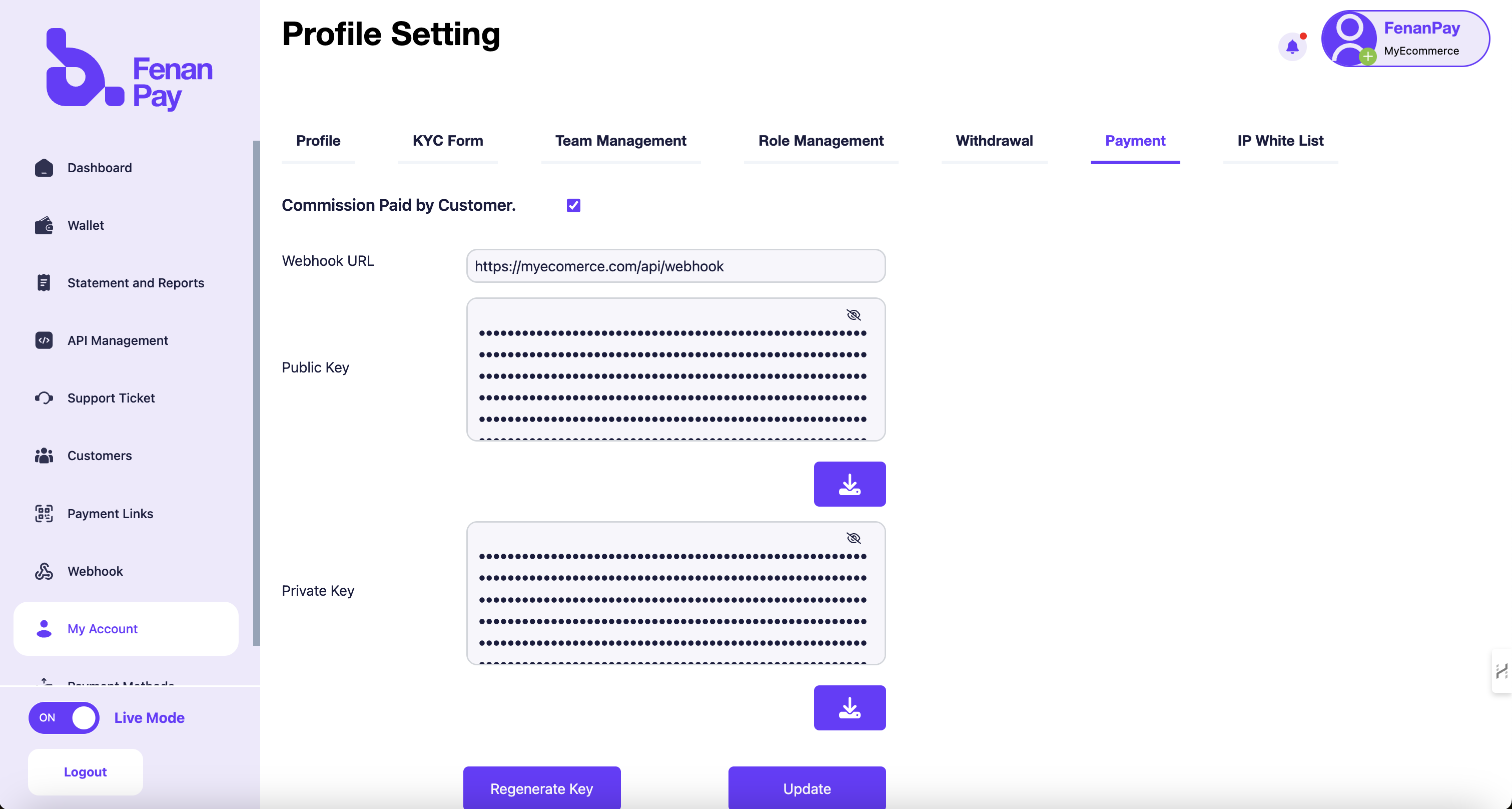 If you don't specify a `callback_url` in your payment intent request, Fenan Pay will use the URL set in your dashboard settings. Ensure this URL is always up-to-date to avoid missing critical notifications.
By leveraging webhooks effectively, you can create a robust, responsive payment system that enhances the overall user experience and maintains data integrity across your application.
If you don't specify a `callback_url` in your payment intent request, Fenan Pay will use the URL set in your dashboard settings. Ensure this URL is always up-to-date to avoid missing critical notifications.
By leveraging webhooks effectively, you can create a robust, responsive payment system that enhances the overall user experience and maintains data integrity across your application.